Invoice Review

ConnectWise invoice review that catches billing mistakes before your clients do

Every batch has a few invoices that shouldn't go out as-is — a ticket with no notes, a line bleeding margin, internal time that slipped onto a client bill. Better Invoice reviews every open ConnectWise invoice automatically, flags the problems, and routes it to the right people for sign-off before a PDF ever leaves your shop.

No credit card. Connects to your ConnectWise PSA.

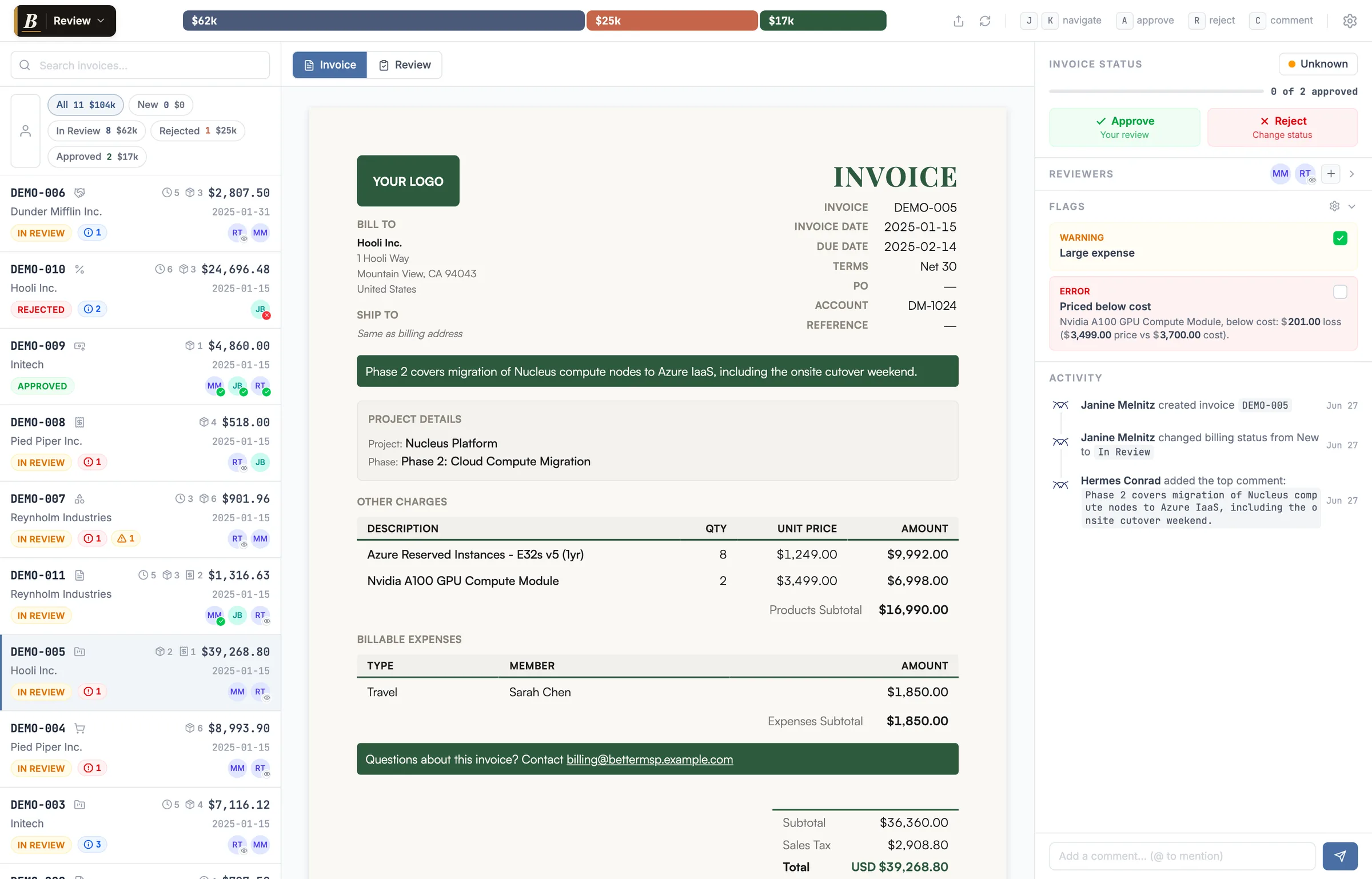
Better Invoice review inbox showing flagged ConnectWise invoices with reviewer avatars

The invoices you'd never have sent on purpose

ConnectWise will happily generate and email an invoice with problems baked in. Nobody catches them until the client does — and by then it's a credit memo, an awkward email, and a dent in the relationship.

A pre-send review queue built for MSP billing

Better Invoice pulls your open ConnectWise invoices into one inbox, runs every check automatically, and gives your team a real place to sign off — without bouncing between ConnectWise screens.

The review inbox

Open invoices land in a single list you can filter by status (All, New, Unread, Approved, Rejected) or show only your own queue with the Mine Only toggle. Each row shows the invoice type, time-entry / product / expense counts, the amount, a status pill, a flag badge, and the reviewers assigned — everything you need to triage at a glance.

Inside the review inbox →

12 automatic checks

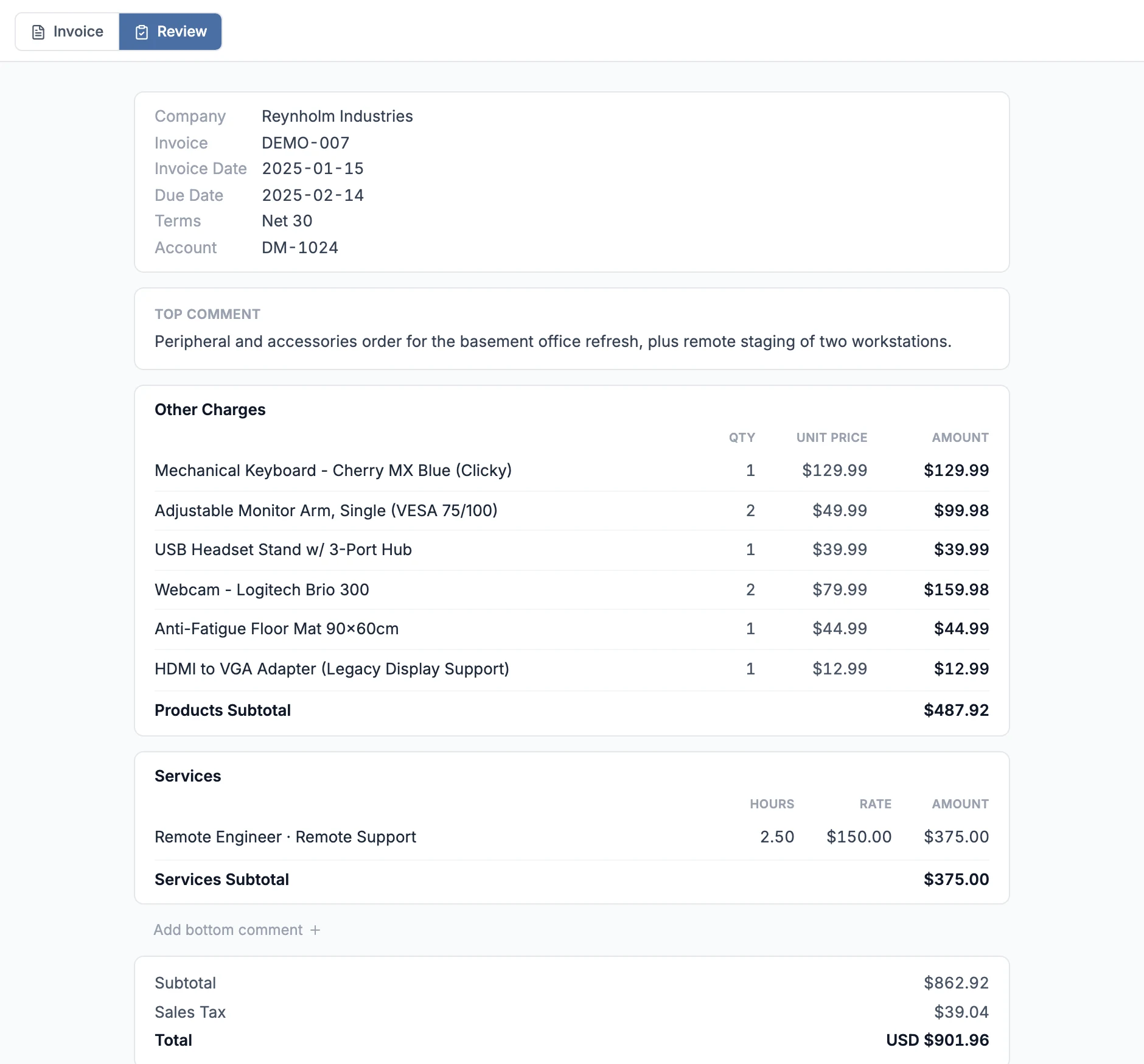
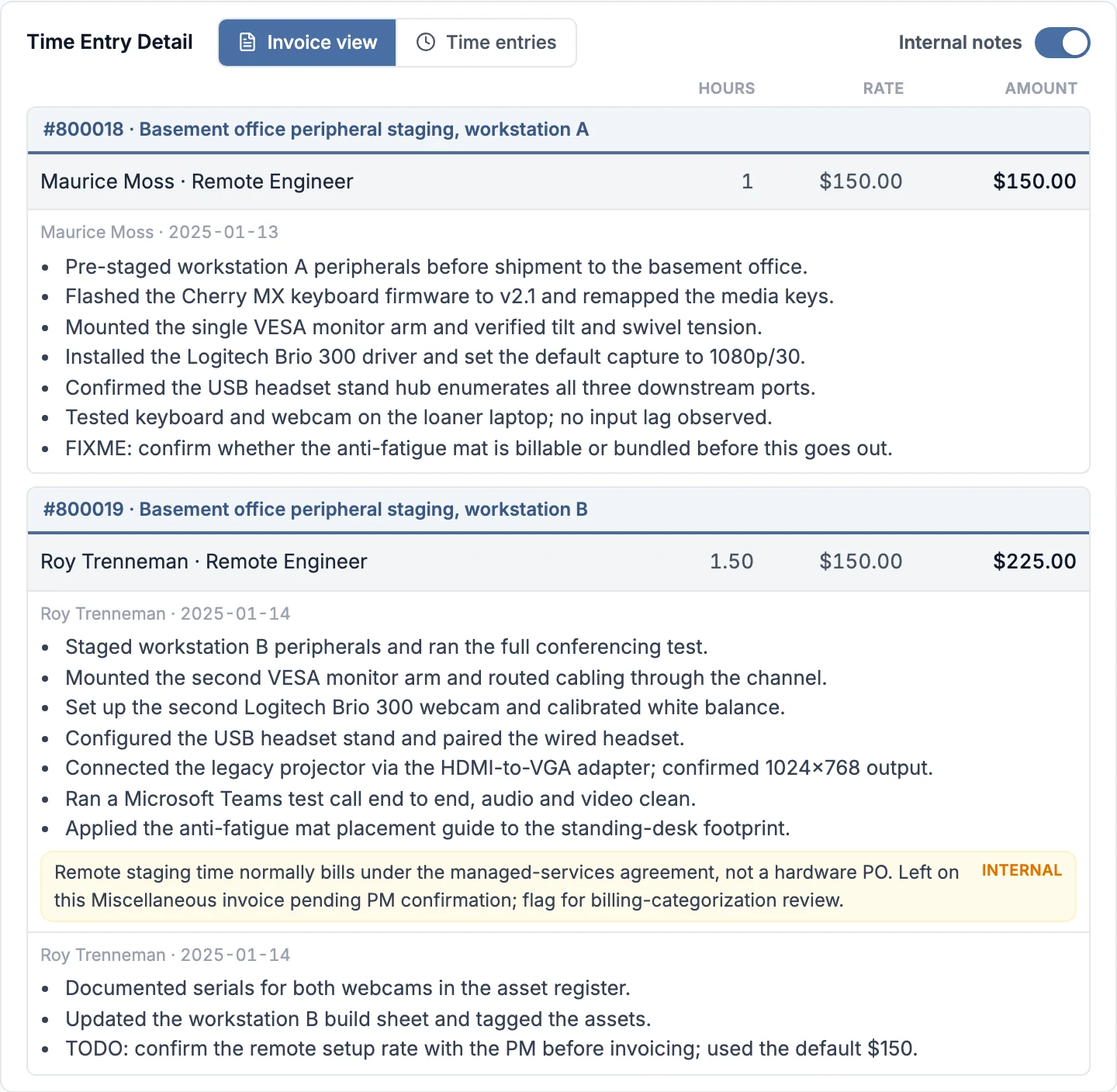
Twelve built-in rules scan every invoice and raise errors, warnings, and info flags: tickets billed with no notes, thin note density, low or below-cost margins, non-billable time, stale time entries, large expenses, flagged work types, keyword hits like TODO, missing tax codes, non-taxable products, agreement-total drift, and positive-total credit memos. Sensible defaults out of the box, tunable per tenant.

Full rules reference →

Reviewers & approvals

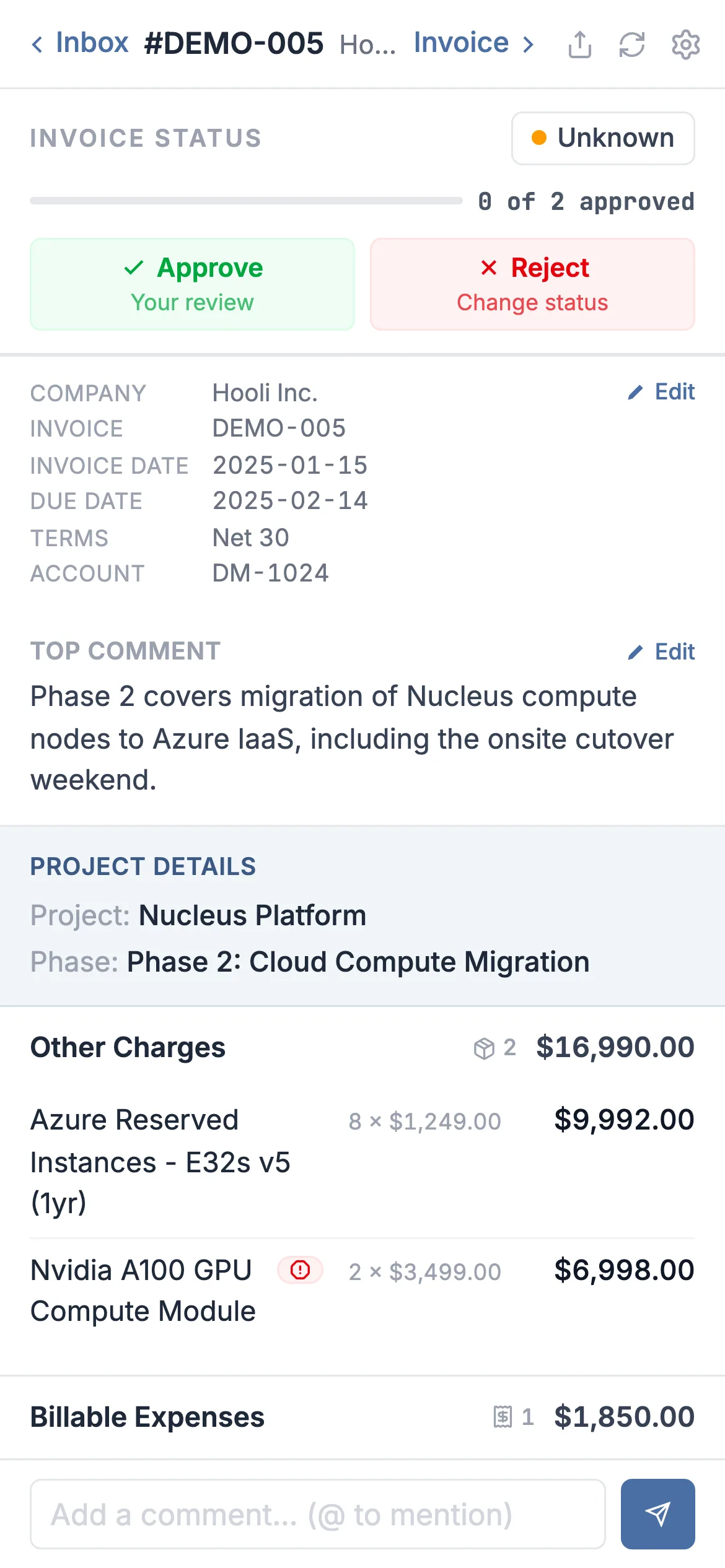
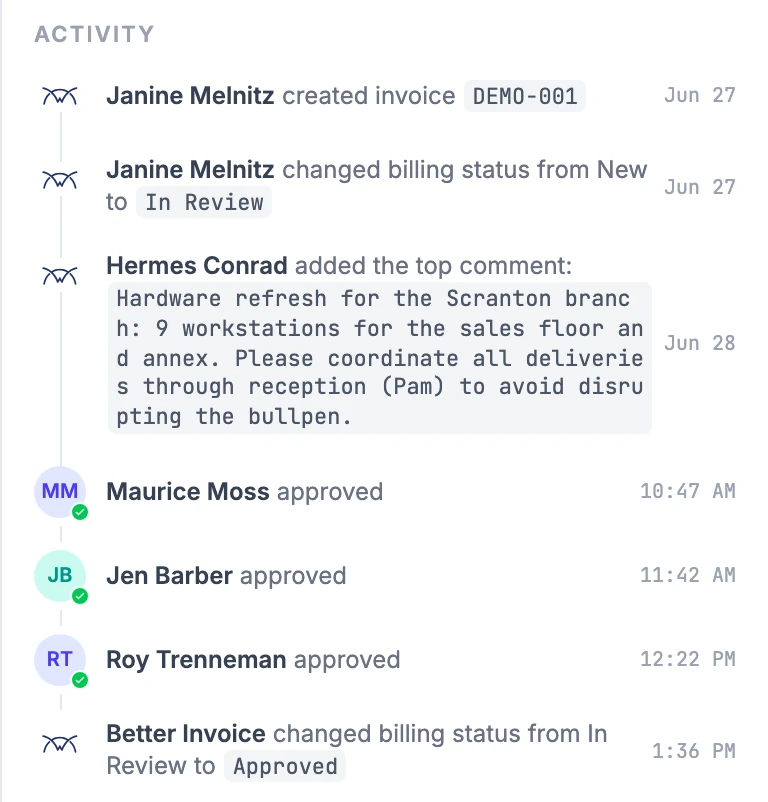
Assign reviewers, watch each person move from Waiting for review to Viewed to Approved or Rejected, and require sign-off before an invoice is finalized. Reviewers are seeded automatically from each invoice's existing ConnectWise Invoice Routing list — the routing you already maintain becomes your review team on day one.

Reviewers & approvals →

Comments & @mentions

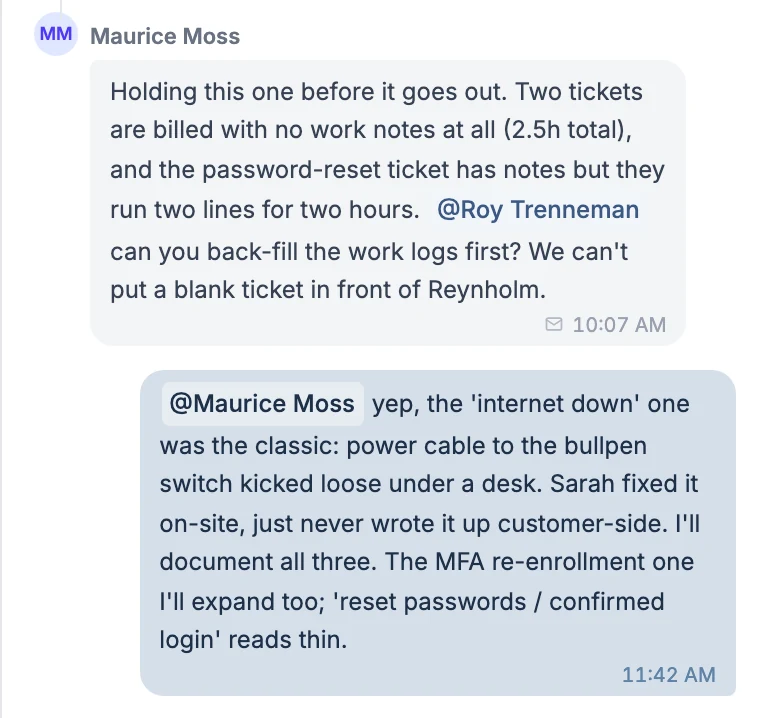
Discuss an invoice right where it lives. @mention any ConnectWise member to loop them in — optionally add them as a reviewer or email them the comment in the same step. The whole thread stays attached to the invoice instead of buried in your inbox.

Guest share links

Need a sign-off from someone without a Better Invoice login? Mentioning a member who has no account sends a secure share link. Guests can view the invoice, download the PDF, comment, and — if they're an assigned reviewer — approve or reject, all without an account. Links are per-recipient and expire on their own.

Share links & guest reviewers →

ConnectWise audit trail, in line

Every comment, approval, rejection, and status change is recorded on a single activity feed — interleaved with the relevant ConnectWise audit events (billing status, payments, credits, emails, product and date changes). One timeline shows who did what, when, and where, with guest and email actions clearly marked.

Activity & audit trail →

Every flag tells you exactly what's wrong

Flags carry a severity, a plain-English explanation, and — where the issue has a home in ConnectWise — a deep link straight to the offending product, ticket, time entry, or invoice. Reviewers can mark a flag as OK once they've checked it, and if a flag is still open when someone gives final approval, Better Invoice asks them to confirm before it finalizes.

Want to see how flags are scored and tuned? Read understanding flags and configuring review rules.

A modern upgrade to Invoice Routing

ConnectWise already has a pre-send review concept — Invoice Routing, the Routing tab in Invoice Search, with Route Forward and Route Backward from My Invoices. It moves an invoice from queue to queue, but it can't tell you why an invoice needs a second look.

Better Invoice keeps what works and adds what's missing. It seeds reviewers directly from your existing Invoice Routing list, so there's nothing new to set up — then layers on automatic flags, threaded comments, guest sign-off, and a full audit trail on top of the same workflow your team already knows.

Instead of routing an invoice forward and hoping the next person spots the problem, your reviewers open it with every issue already surfaced and explained.

How MSPs run invoice QA

A consistent pre-send review is the difference between catching mistakes internally and explaining them to a client. These guides walk through the workflow, the approval chain, and a checklist you can adopt today.

Ready to send better invoices?

Start for free. Your invoices should look as good as the work you do.

Get started free →