Invoice review is the step between ConnectWise Manage generating an invoice and you sending it to the customer. Better Invoice pulls your open invoices, runs them through a set of rules, and surfaces problems — thin ticket notes, below-cost products, positive credit memos, missing tax codes — as flags your team can resolve before anything goes out. Reviewers approve or reject, and the status syncs back to ConnectWise.
It is a richer layer over CW Manage’s native Invoice Routing: instead of just passing an invoice down a list of approvers, Better Invoice tells each reviewer what to look at and keeps a complete record of who decided what.
The invoice review lifecycle
Every invoice moves through the same path, automatically.
- Sync — A sweep pulls your open invoices from ConnectWise and stores a snapshot of each.
- Flag — The rules run against each invoice and produce flags, each tagged error, warning, or info.
- Review — Reviewers open the invoice, work the flags, and Approve or Reject.
- Sync back — The decision updates the invoice status, which flows back to ConnectWise.
Flags are stable across re-scans. If you fix a problem upstream in ConnectWise, the next sweep drops that flag; if an issue persists, the flag — and any decision on it — is preserved.
A modern alternative to ConnectWise Invoice Routing
ConnectWise’s built-in pre-send review is Invoice Routing — the Routing tab in Invoice Search, and the Route Forward / Route Backward actions in My Invoices. It tells reviewers an invoice is waiting, but not why it might be wrong.
Better Invoice review adds the missing layer:
- Automated checks — Rules catch margin, tax, notes, and credit-memo problems before a human looks.
- Flags with context — Each flag links straight to the offending product, ticket, or prior invoice in ConnectWise.
- A full audit trail — Every comment, approval, and rejection is recorded, including changes that happened in ConnectWise.
Better Invoice does not replace Invoice Routing — it reads from it. On an invoice’s first sync, the reviewers already on its ConnectWise Routing list are seeded automatically as Better Invoice reviewers. See Reviewers and approvals for how that mapping works, and the Routing tab and My Invoices docs for the native CW side.
Turn it on
Setup is short — enabling review and letting the first sweep run is all it takes.
- Turn on invoice review for your tenant.
- Wait for the first sweep to finish. While it runs, the inbox shows Fetching invoices and Pulling open invoices from ConnectWise….
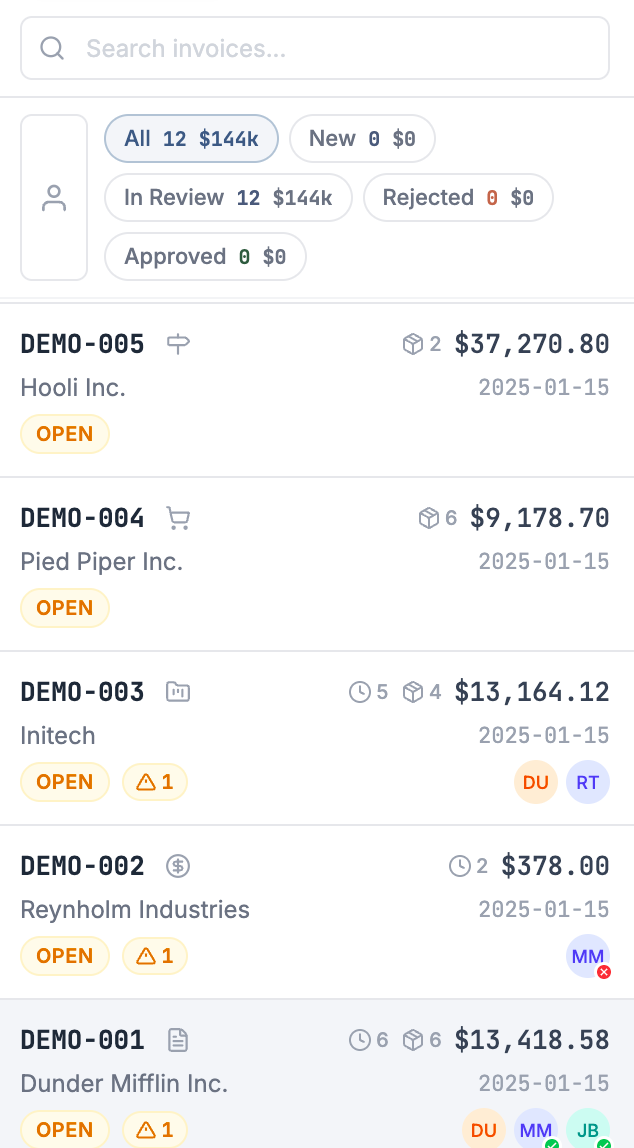
- Open the review inbox to see your flagged invoices.
On that first sync, Better Invoice reads each invoice’s ConnectWise Routing list and seeds those members as reviewers (marked as coming from CW routing). After that, Better Invoice is the source of truth — reviewers you remove are not re-added on later syncs.
Who can see it
Anyone with a Better Invoice account on your tenant can open the review inbox. You can also bring in people who don’t have an account: @mention a ConnectWise member in a comment to send them a share link — a guest can view the invoice, comment, and (if they’re an assigned reviewer) approve or reject, all without signing in.
Where to go next
| Page | What it covers |
|---|---|
| The review inbox | The list view: filter tabs, search, the Mine Only toggle, and what each row tells you at a glance. |
| Understanding flags | Flag severities, dismissing a flag, and approving an invoice that still has open flags. |
| Review rules reference | Every built-in rule, what it checks, and its default settings. |
| Configure review rules | Turning rules on or off and tuning thresholds for your tenant. |
| Reviewers and approvals | Assigning reviewers, the approve/reject flow, and seeding from CW Invoice Routing. |
| Share links and guest reviewers | Bringing in people without a Better Invoice account. |
| Activity and audit trail | Comments, @mentions, and the combined Better Invoice + ConnectWise history. |
For the bigger picture, see How MSPs review invoices before sending, the ConnectWise invoice approval workflow guide, and our invoice QA checklist for MSPs. Or take the product tour.